AI Tools for Amazon Apparel Images and A+ Content in 2026
A use-case guide to Photoroom and GENCY lite for Amazon apparel sellers: on-model images versus complete A+ Content drafts.
The GENCY lite Team
Oct 29, 2026 · 6 min read
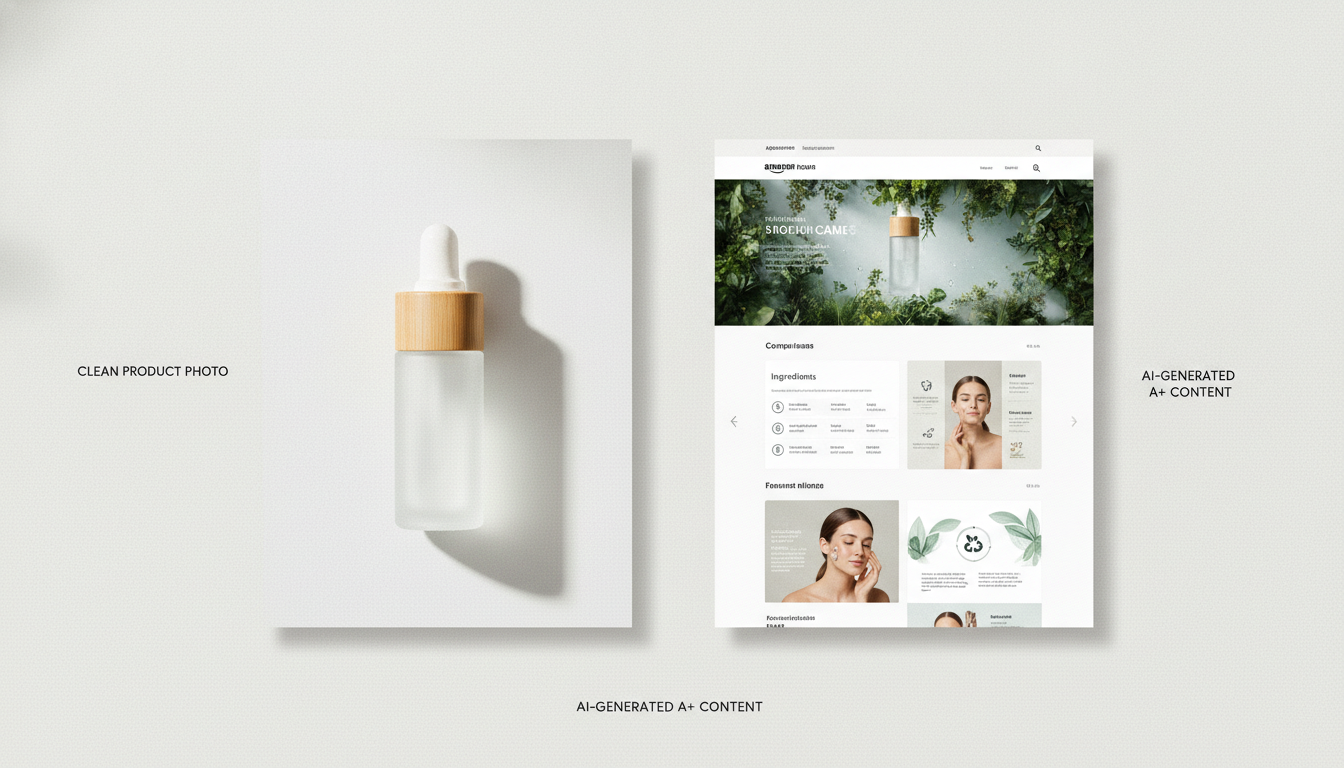
Amazon apparel sellers can choose between two kinds of AI image tools: virtual try-on tools that put a garment on an AI model, and page generators that turn one product photo into a draft of an Amazon A+ Content page. They do different jobs, so this guide compares them by what you need to create.
We build GENCY lite, so treat this as a use-case guide rather than a neutral ranking. Test every option on your own products before choosing one.
The short answer: consider Photoroom when you need on-model images, especially at catalog scale through an API. Consider GENCY lite when the harder job is the whole A+ Content page — layout, supporting visuals, and copy — rather than one on-model image.
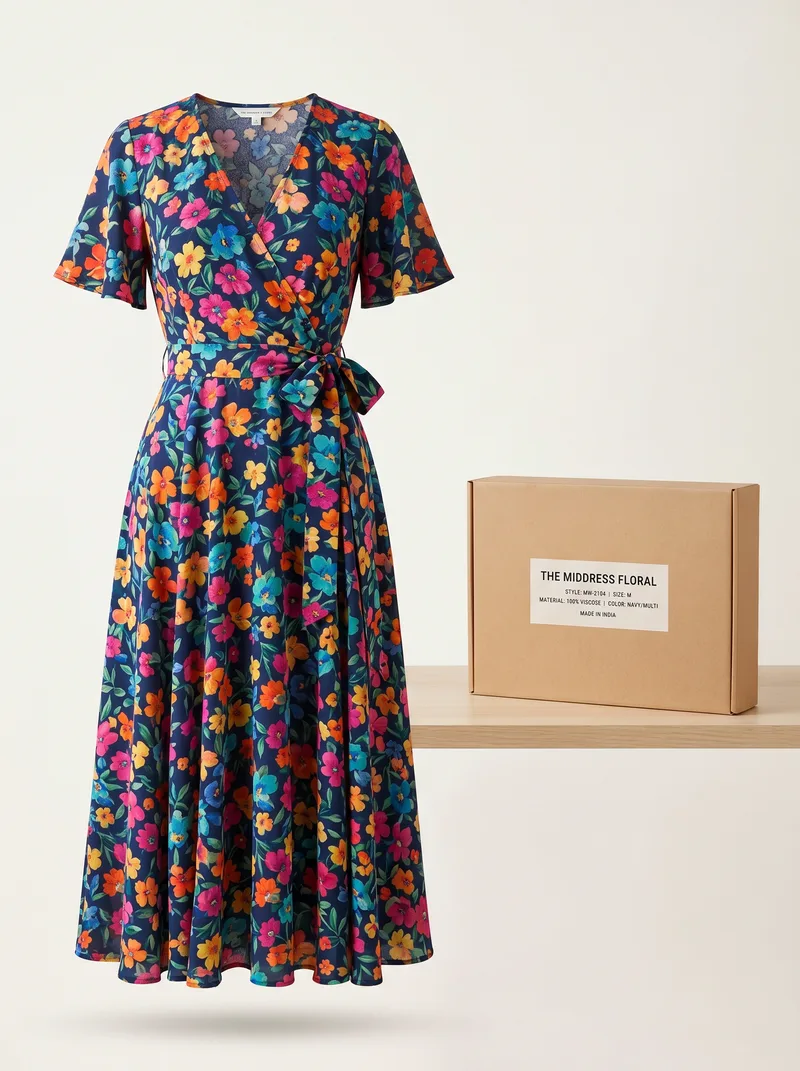
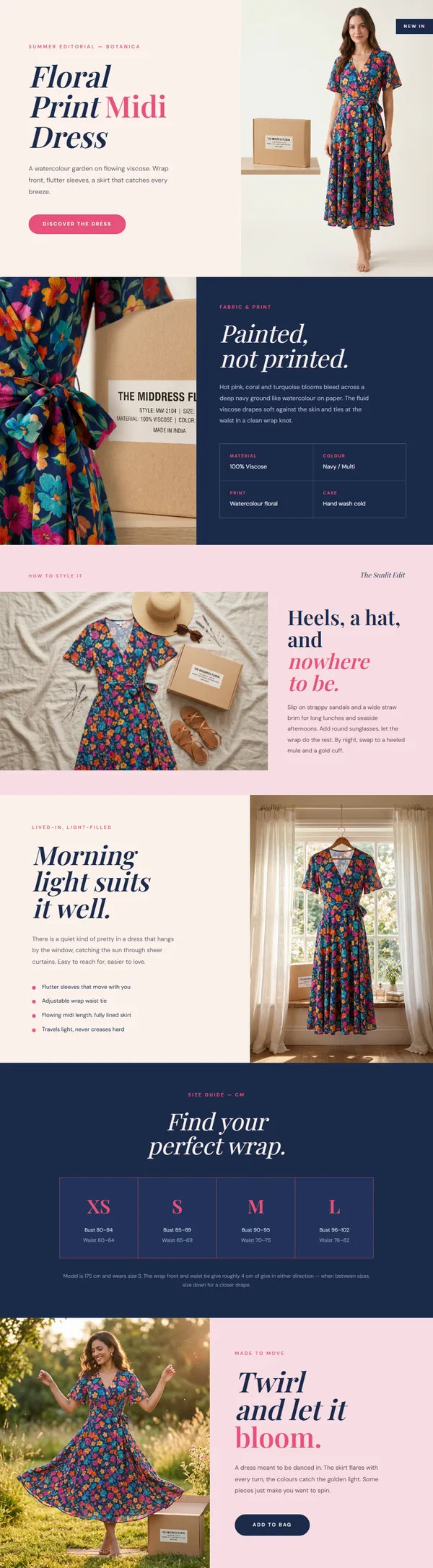
Whichever tool you use, check each generated image against the real garment before it goes live. An on-model image shows how a garment looks, not whether it fits, so keep your size charts and measurements accurate.
Compare the tools by what you need to create
An Amazon apparel team may need on-model gallery images or a full A+ Content page. Start there rather than with a long feature list.
| Tool | Starts from | Creates | Consider it when | Check closely |
|---|---|---|---|---|
| Photoroom | Flat lay, hanger, or ghost-mannequin garment photo | On-model images, also available through an API | You need on-model images across a catalog | Prints, logos, and other garment details; output resolution on your plan |
| GENCY lite | One product photo | Draft A+ Content sections with layout, supporting visuals, and copy | Building the whole page takes more time than any single image | Product claims in the copy; details not visible in the source photo |
Photoroom: on-model images and an API
Photoroom's virtual try-on page says you can upload a flat-lay, hanger, or ghost-mannequin shot and see the garment on lifelike models across body types, poses, and scenes. That fits teams that already have a listing layout and copy and need on-model images to place in an existing Amazon gallery.
For catalog production through an API, Photoroom's Virtual Model API documentation lets you add extra product images that show other angles or details, which helps the model reproduce the item more accurately. As of November 2026, the documented default output is 1K (1024 × 1024), and 2K and 4K outputs require an Enterprise plan. Check which resolution your plan includes before you build a pipeline around it.
The main thing to check is whether logos, prints, seams, and closures match the real garment. If a detail matters, include a source image that shows it rather than expecting the model to reconstruct it.
For a wider look at image-focused tools, see AI Product Photo Tools Every Seller Should Know (2026).
GENCY lite: from one photo to an A+ Content draft
GENCY lite solves a different problem. From one product photo, it generates a draft of Amazon A+ Content sections at Amazon's Standard (970 px) and Premium (1464 px) widths, with layout, supporting visuals, and copy. Sellers can then review and refine the generated page draft.
This helps when your team can already produce individual images but spends a lot of time turning them into a complete page. Instead of building every section from scratch, you check and edit the sections it generates.
The source photo still limits what the draft can show accurately. If a label, back panel, fabric texture, or closure is not visible in the photo, the generated version may not match the real item. Also check every claim in the copy. For a closer look at how an image tool and a page generator differ, read our GENCY lite vs Photoroom comparison for Amazon listing images.
How to choose
- What you need to create. Decide whether you need individual on-model images or a full A+ Content page. Without that decision, comparisons turn into feature lists that don't settle anything.
- The categories you sell. General apparel, layered outfits, swimwear, and lingerie bring different input, styling, and policy requirements. Good results in one category don't prove the tool works for another. Underwear and swimwear also come with stricter Amazon rules: Amazon's clothing style guide says images of intimate apparel, lingerie, and swimwear may not be sexually explicit or obscene, as determined by Amazon. Sellers are responsible for the pose, coverage, background, and crop of the final image, whichever tool generated it.
- How the work scales. Walk through the full process: prepare inputs, generate, review, fix, export, add disclosure metadata where required, and upload. An API helps with volume, but the review time per image decides whether the process really scales.
- Who handles the rest of the page. Ask what happens after the images exist. Who writes and checks the copy? Who assembles the A+ Content? Pick the tool that removes your team's biggest time sink without creating more review work later.
How to run a trial
Before using any tool across your catalog:
- Pick representative garments. Include the cuts, colors, textures, and difficult categories your store actually carries.
- Use clear, accurate source images. Show every detail you expect the output to keep, and add another angle when one photo isn't enough.
- Review against one checklist. For every tool, compare color, print placement, logos, trim, hems, sleeve length, necklines, closures, and texture with the real garment. Record the percentage of generated images that pass review and how much manual correction the rest need.
- Check Amazon's rules before upload. Amazon now requires a metadata tag on product images and A+ Content that contain photorealistic AI-generated people, in all of its stores. Confirm that your export keeps the tag, and check category rules such as the intimate-apparel image requirements above.
- Keep fit information separate. Maintain accurate measurements and size charts; a generated image says nothing about fit.
- Scale up once your team can consistently produce and approve usable results.
If the trial shows that individual on-model images are your bottleneck, start with an image-focused try-on tool. If the bigger problem is turning visuals and copy into a full Amazon page, try GENCY lite with a representative product photo and review the draft against the real garment.